
Most traders spend far more time inside the platform than thinking about the broker behind it. So this Fortuno Markets review starts where it matters, with the tools you actually touch every session, and asks a simple question. Does the environment help you act, or does it get in your way?
Fortuno Markets is a multi-asset CFD broker spanning forex, metals, indices, stocks, commodities, bonds, ETFs, and crypto. What shapes the daily experience, though, is the proprietary Fortuno Terminal, a browser-based platform that runs without a single download.
Inside the Fortuno Terminal
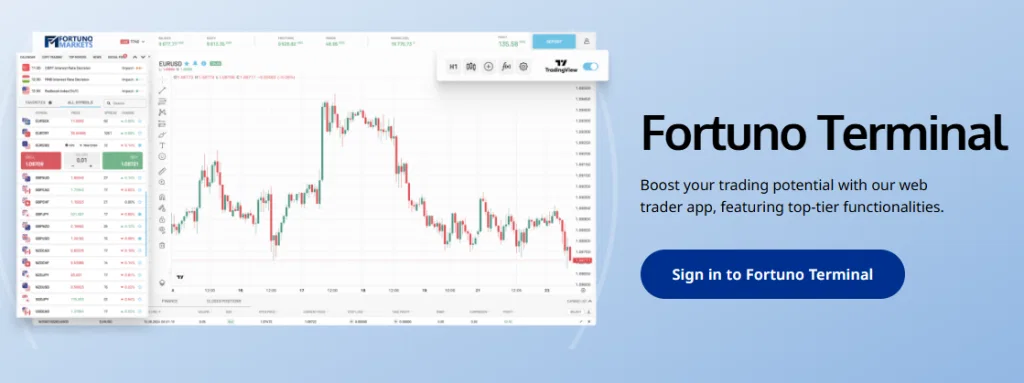
The terminal is where this review spent most of its time, and it holds up. It runs straight from a browser on any operating system, giving access to over a hundred popular CFDs without installing anything. A live watchlist tracks real-time prices across every instrument, and a one-click mode lets you open and close positions from a simple tile list, with a field for pending orders when you want them. For traders who step away from the desk, a free Android app carries the same access into your pocket, so the platform is not tied to a single screen.
The portfolio area keeps the important details in one place: volume, prices, open time, stop levels, and more. A separate account view shows your balance, equity, margin, free margin, and leverage settings in real time, so you always know where you stand before your next move. Nothing useful is buried three menus deep.
Charts and the small tools that matter
Charting runs on TradingView, folded directly into the terminal, so the indicators and drawing tools feel instantly familiar to anyone who has read a market before. Switching between charts takes a single click, and opening a fresh one is just as quick, which keeps analysis fluid when you are watching several instruments at once. A nominal value calculator is a quiet standout, letting you see the volume value and the required margin before you commit to a position rather than after.
The charting itself is deep. There are more than a hundred built-in indicators to choose from, smart drawing tools, and a news feed sitting alongside an economic calendar, so the context and the chart live in the same place. For the methodical trader, tick history is available to test an approach against how the market actually behaved, which turns a hunch into something you can check.
Speed, accounts, and starting out
Execution runs on a market model with fills measured in milliseconds, and in normal conditions the terminal does not stumble when you move quickly. A stop-out protection feature is also built in, designed to reduce forced closures rather than let them pile up, and leverage is flexible rather than fixed, so it can be dialled to suit your own approach to risk. Getting started is light, with a $10 minimum deposit and a demo mode to practise in before real money is involved, and withdrawals are processed in seconds through the dashboard, even on weekends.

The verdict
As a platform-first read, this Fortuno Markets review comes away impressed by how little friction sits between the trader and the market. The terminal is lean without feeling stripped back, fast without feeling fragile, and the smaller tools show genuine thought. For a fuller external view, the Fortuno Markets review on ReviewCharts adds another angle, and this earlier Fortuno Markets review on ZeroPlusFinance covers the broader experience.
METADATA
- Title: Fortuno Markets Review: A Close Look at the Platform Built for Speed and Control
- Meta Description: A platform-focused Fortuno Markets review covering the Fortuno Terminal, TradingView charts, one-click trading, execution speed, tools, and account setup.
- Slug: fortuno-markets-review